SSH, SFTP and terminal
Give each person their own SSH or SFTP login and key, open a terminal in the browser, and lock staging behind a login.
SSH, SFTP and terminal, step by step
-
1
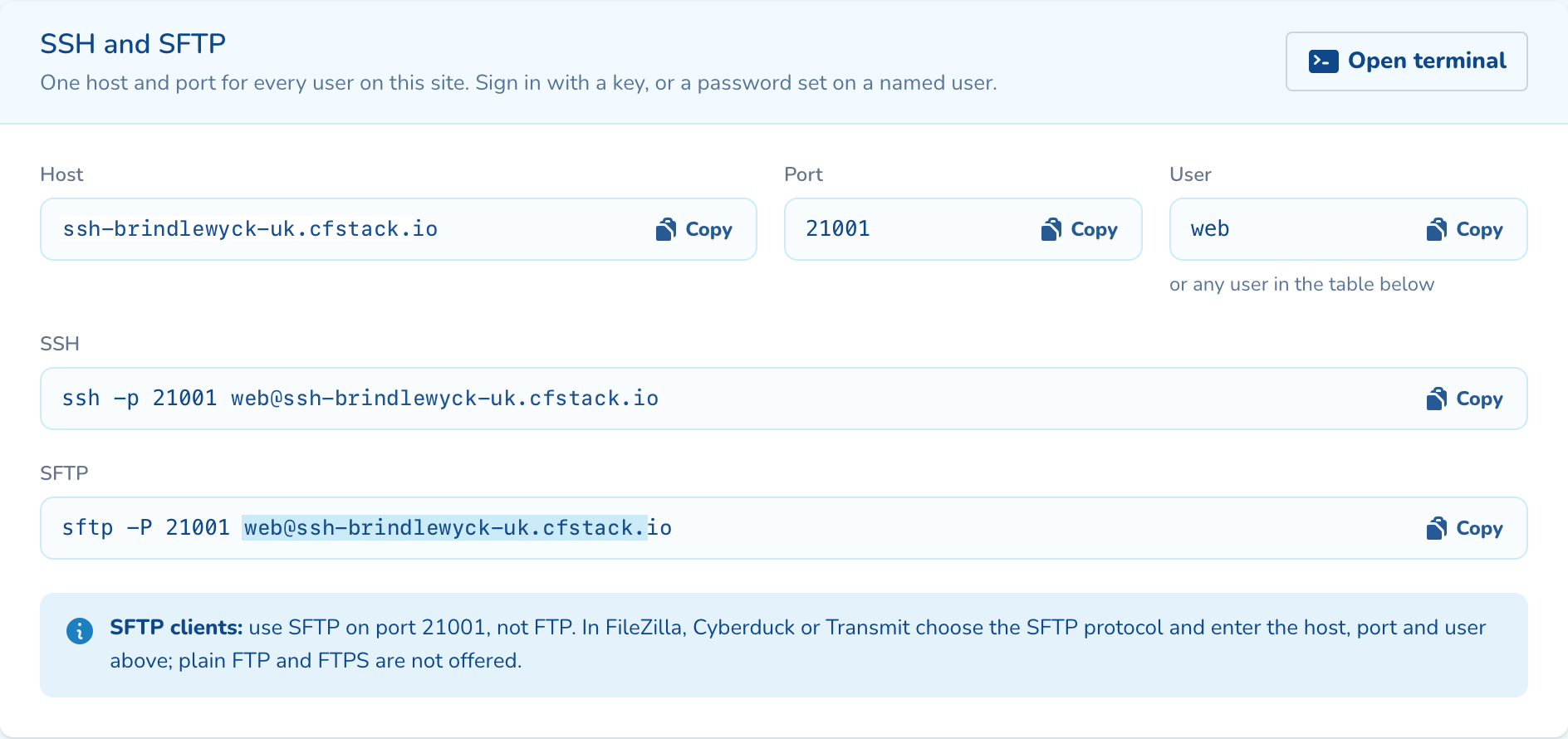
Copy the connection details
Every site has one SSH host and port. SSH and SFTP both use it, with the commands ready to copy.
-
2
Add a user per person
Give developers SSH to the whole site. Give clients SFTP only, kept inside one folder.
-
3
Add their public key
Paste an OpenSSH, PEM or PuTTY public key. The panel reads it and shows the fingerprint before you add it.
-
4
Open a terminal in the browser
Get a shell on the site without an SSH client. Every session is recorded, and the transcript kept for 90 days.
-
5
Put a login in front of staging
Protect a whole environment, or a path such as /wp-admin/. Rules apply in about ten seconds, with no restart.
Questions about ssh, sftp and terminal
Yes. Add them as an SFTP-only user and pick their folder, such as the media library. They cannot leave it, and they get no shell.
The person who opened the session, and Corefinity staff. Transcripts are kept for 90 days, then deleted.
Yes. Paste it as your tool exported it and the panel converts it to an OpenSSH key. Private keys are refused and cleared before anything is sent.

See ssh, sftp and terminal on your own cluster
Tell us how many sites you run and on what. An engineer sizes a cluster with you and shows you the panel on a live one.