CoreCluster · Protect

Snapshots

Every environment is snapshotted daily by default, or as often as hourly. Snapshots are incremental, so only what changed is copied, and each is kept for 30 days.

manage.corefinity.com/managed-clusters
Snapshots kilnandcopse.com · production
Scheduled · daily Take a snapshot now

Files and database, incremental · daily by default, down to hourly · kept 30 days

TakenKindSizeNote
Today 09:12 One-off 4.8 GB Before the Magento 2.4.8 upgrade

Sam Okafor

Restore…
Today 02:00 Scheduled 4.8 GB — Restore…
Yesterday 02:00 Scheduled 4.7 GB — Restore…
28 Sept 02:00 Scheduled 4.6 GB — Restore…
21 Sept 10:02 Before restore 4.5 GB Protected taken automatically Restore…

56 of 800 GB snapshot quota used across the cluster · oldest pruned first when full

{  How it works  }

Snapshots, step by step

  1. 1

    Daily, without asking

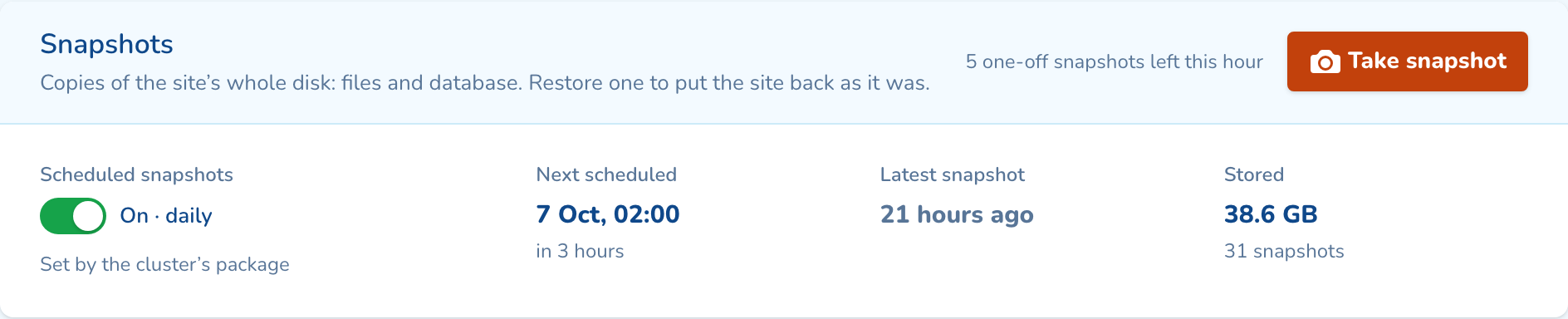
    Scheduled snapshots are on for production from day one, daily by default and as often as hourly. Each covers files and database but copies only what changed, so they are quick and light.
    manage.corefinity.com/managed-clusters
    The Snapshots tab: scheduled snapshots on, daily, with the next one due at 02:00
  2. 2

    Take one before a change

    Press Take snapshot and add a note, like the update you are about to run. It takes about a minute and the site stays online.

    manage.corefinity.com/managed-clusters
    Take a snapshot marrowtide.co.uk · Production

    Copies the whole disk, files and database, as it is now. It takes about a minute and the site stays online.

    Note (optional) 34 / 140
    Before updating WooCommerce to 9.4
    Shown in the list, so you can find this one again.

    4 one-off snapshots left this hour. Kept 30 days like the others, unless you protect it.

    Cancel Take snapshot
  3. 3

    Choose what to restore

    Restore everything, only the database or only the files. Type the domain to confirm, so nothing is restored by mistake.

    manage.corefinity.com/managed-clusters
    Restore a snapshot Today 09:12 · One-off · “Before updating WooCommerce to 9.4” · Sam Okafor
    EverythingFiles and database
    Database onlyEvery table; files stay
    Files onlyPlugins, themes, uploads
    ✓
    Take a snapshot of the site as it is now firstRestore it to undo this one. Adds about a minute.
    The site is offline for a few minutes. Anything changed since today 09:12 will be lost.
    Type marrowtide.co.ukmarrowtide.co.uk Cancel Restore everything
  4. 4

    A safety copy comes first

    The site as it is now is snapshotted before the restore starts. The site is offline for a few minutes, then back.

    manage.corefinity.com/managed-clusters
    Restoring everything From today 09:12 · “Before updating WooCommerce to 9.4” · requested by Sam Okafor
    2:41
    1. ✓Safety snapshot0:58
    2. ✓Stopping the site0:19
    3. Copying data1:24
    4. 4Starting 
    5. 5Healthy 

    Copying the data back. Visitors see the site again as soon as it starts.

    TakenTypeNoteSize
    Today 10:02 Before restore The site as it was before this restore 1.2 GB Restore…
    Today 09:12 One-off Before updating WooCommerce to 9.4 1.2 GB Restore…
manage.corefinity.com/managed-clusters
The Snapshots tab: scheduled snapshots on, daily, with the next one due at 02:00
manage.corefinity.com/managed-clusters
Take a snapshot marrowtide.co.uk · Production

Copies the whole disk, files and database, as it is now. It takes about a minute and the site stays online.

Note (optional) 34 / 140
Before updating WooCommerce to 9.4
Shown in the list, so you can find this one again.

4 one-off snapshots left this hour. Kept 30 days like the others, unless you protect it.

Cancel Take snapshot
manage.corefinity.com/managed-clusters
Restore a snapshot Today 09:12 · One-off · “Before updating WooCommerce to 9.4” · Sam Okafor
EverythingFiles and database
Database onlyEvery table; files stay
Files onlyPlugins, themes, uploads
✓
Take a snapshot of the site as it is now firstRestore it to undo this one. Adds about a minute.
The site is offline for a few minutes. Anything changed since today 09:12 will be lost.
Type marrowtide.co.ukmarrowtide.co.uk Cancel Restore everything
manage.corefinity.com/managed-clusters
Restoring everything From today 09:12 · “Before updating WooCommerce to 9.4” · requested by Sam Okafor
2:41
  1. ✓Safety snapshot0:58
  2. ✓Stopping the site0:19
  3. Copying data1:24
  4. 4Starting 
  5. 5Healthy 

Copying the data back. Visitors see the site again as soon as it starts.

TakenTypeNoteSize
Today 10:02 Before restore The site as it was before this restore 1.2 GB Restore…
Today 09:12 One-off Before updating WooCommerce to 9.4 1.2 GB Restore…
{  What you can set  }

Options and limits

Everything here is per site or per environment, from the panel, with every change in the activity log.

Schedule
Daily by default, as often as hourly. Set it per cluster; switch snapshots on or off per environment.
Kept
30 days. If the cluster’s snapshot quota fills, the oldest go first.
What is copied
The environment’s whole disk: files and database, in one snapshot.
Staging and development
Scheduled snapshots are off by default. Turn them on with one switch.
One-off snapshots
Up to five an hour per site, each with an optional note.
Restore
Everything, database only or files only, back into the same site.
Safety snapshot
Taken before every restore unless you untick it. Restore it to undo.
Protect
Keep a snapshot past 30 days. It still counts towards the quota.

Questions about snapshots

Daily by default, as often as hourly, and each one is kept for 30 days. Snapshots are incremental, so only changed files are copied. You can change the schedule for a whole cluster or for one environment. You can also take a one-off snapshot whenever you need one.

Yes, for a few minutes while the data is copied back. A snapshot of the site as it is now is taken first, so you can undo the restore if it is not what you wanted.

Each package includes a snapshot quota of twice its storage. When snapshots fill it, the oldest unprotected ones are deleted first. A site’s newest snapshot is always kept.

{  CoreCluster  }

See snapshots on your own cluster

Tell us how many sites you run and on what. An engineer sizes a cluster with you and shows you the panel on a live one.

By sending this message you agree to our Privacy Policy .