PHP, MariaDB and crons
Choose PHP 7.4 to 8.5, upgrade MariaDB, set PHP limits and schedule crons, site by site, from the panel.
PHP, MariaDB and crons, step by step
-
1
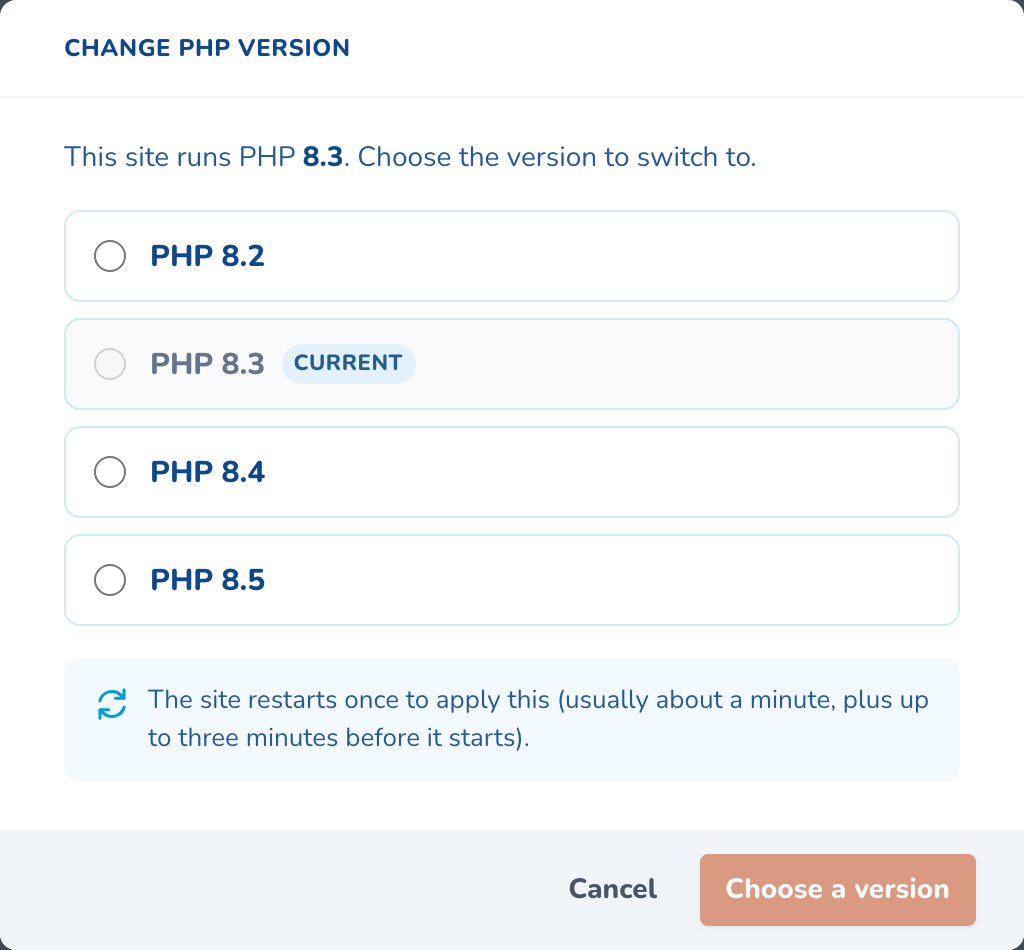
Choose the PHP version
Switch between the versions the platform supports. The site restarts once, in about a minute.
-
2
Upgrade MariaDB a step at a time
Move up one release at a time. A database cannot go back, so the system tables are backed up first.

-
3
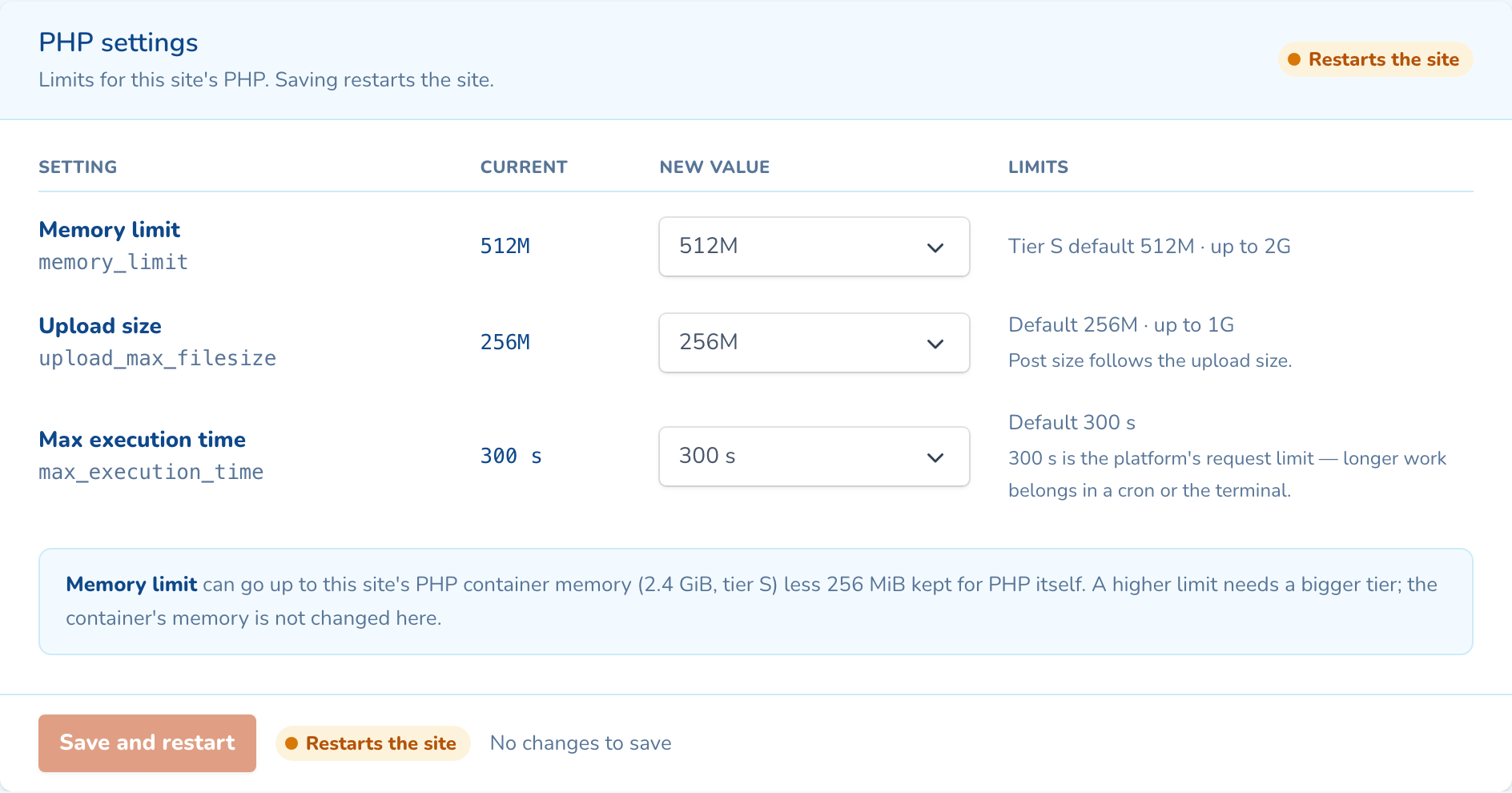
Set PHP limits
Raise the memory limit, upload size or execution time, within what the site’s size allows. Saving restarts the site.
-
4
Add a scheduled task
Name it, pick a schedule and type the command. The panel shows the next runs before you save.
-
5
Save, then watch each run
Cron changes apply in a minute or two, with no restart. Each task shows its last result and next run.
As your team will see it
Questions about php, mariadb and crons
Yes. PHP is set per site, and each environment has its own. Staging can try PHP 8.4 while production stays on 8.3.
No. MariaDB cannot move a database back to an older version, so the panel only upgrades, one release at a time. The system tables are backed up first, and the site is snapshotted daily.
Scheduled tasks start off on staging and development environments, and on a site with no domain yet. Turn them on with one switch when you need them.

See php, mariadb and crons on your own cluster
Tell us how many sites you run and on what. An engineer sizes a cluster with you and shows you the panel on a live one.