Git deployments
Connect a repository, deploy on push, and roll back to an earlier release in seconds.
Git deployments, step by step
-
1
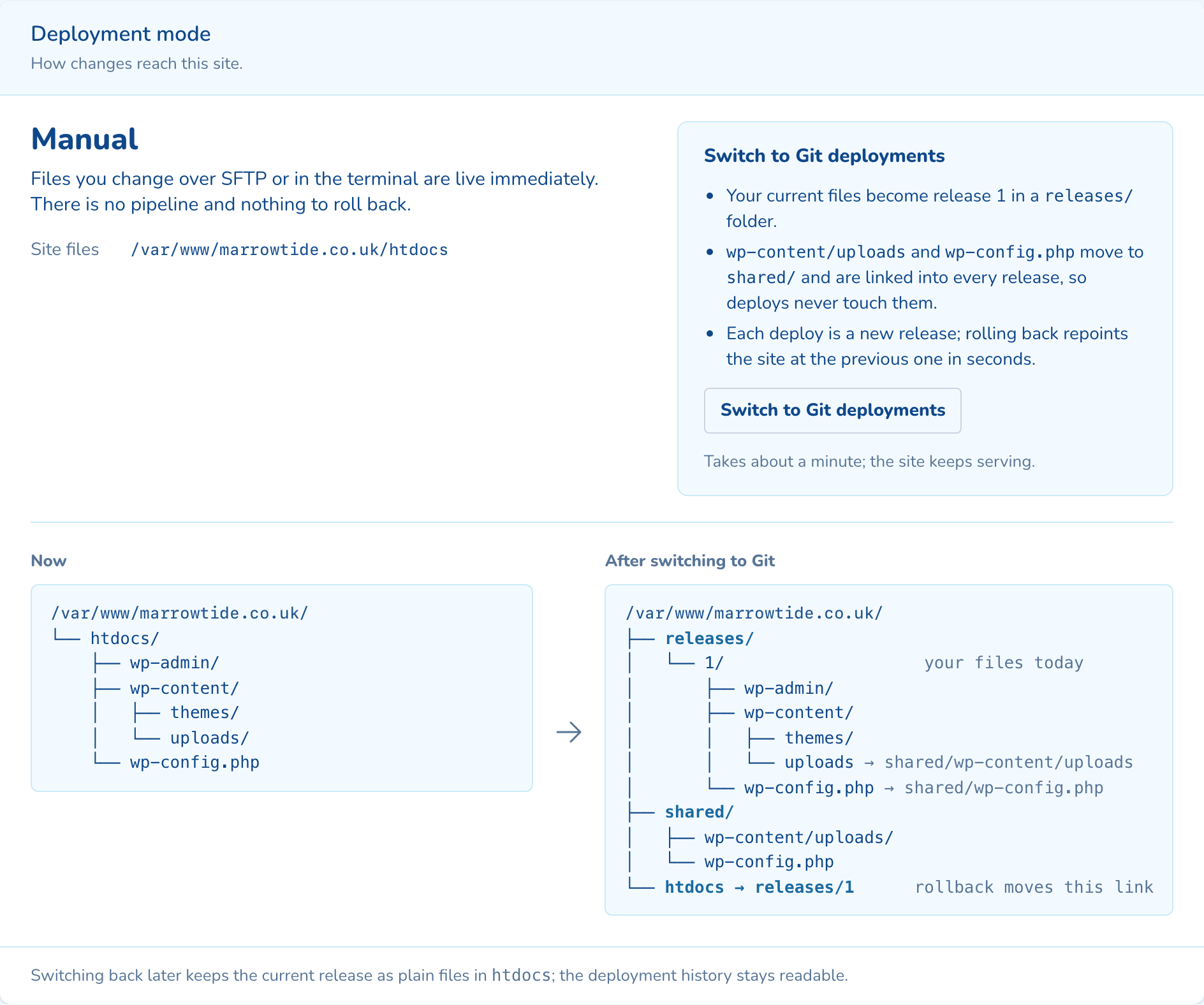
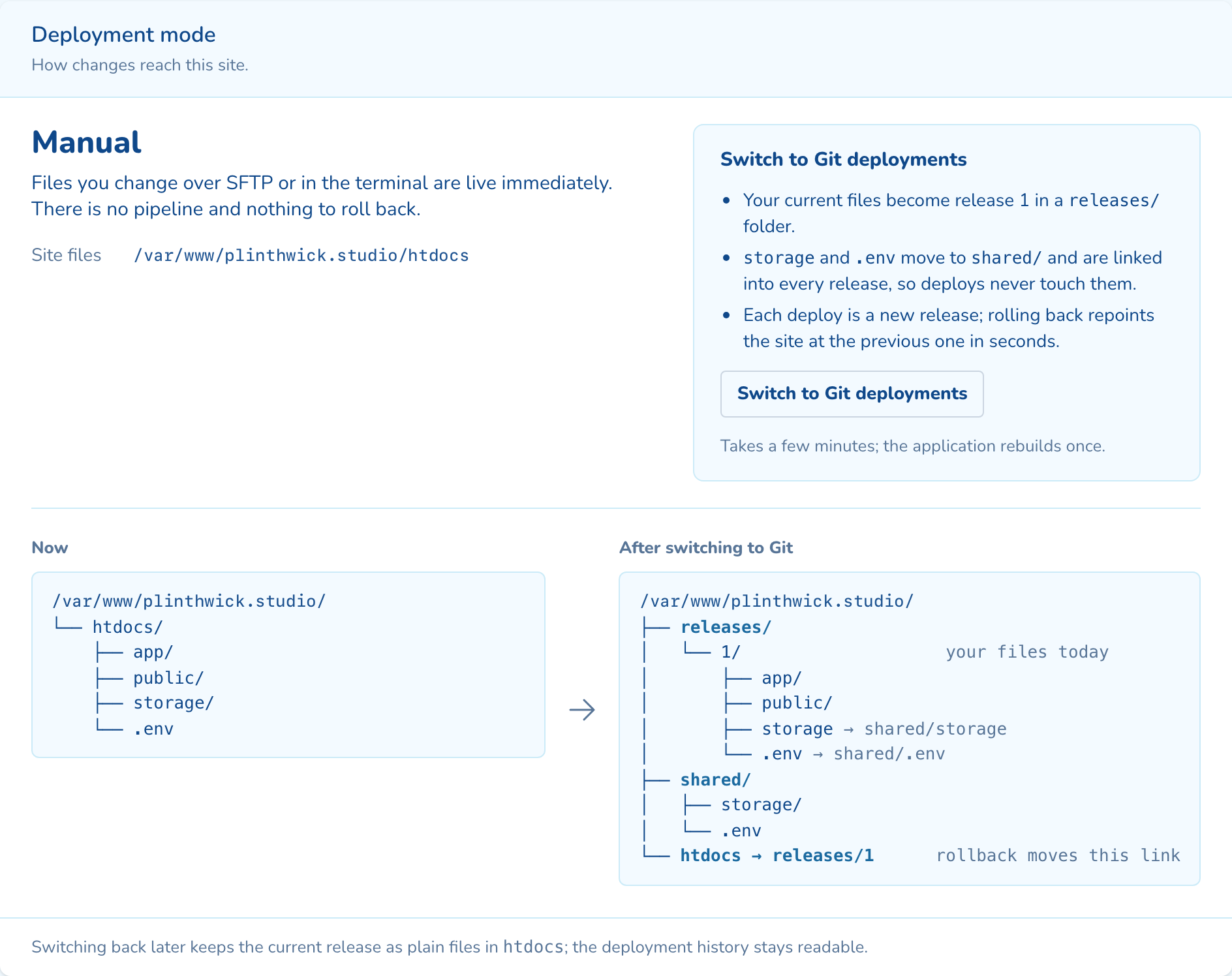
Switch the site to Git
Your current files become release 1. Uploads and config move to a shared folder that every release links to.
-
2
Connect a repository
Pick the provider, repository and branch. Turn on deploy on push and the panel adds the webhook.
-
3
Push, and it goes live
Each push builds a new release beside the live one, then switches over. A failed health check puts the old one back.
-
4
Roll back in seconds
Pick an earlier release and confirm. The site points at it straight away. Nothing is rebuilt.
As your team will see it
Questions about git deployments
No. Sites start in manual mode, where files you change over SFTP or in the terminal are live straight away. Switch to Git when you are ready, and back again if you need to.
No. A rollback points the site at an earlier release in seconds, without rebuilding it. The database stays as it is, so take a snapshot first when a release changes the schema.
The live release keeps serving. A build that fails stops before anything switches. If the new release fails its health check, the previous one goes straight back.

See git deployments on your own cluster
Tell us how many sites you run and on what. An engineer sizes a cluster with you and shows you the panel on a live one.